








As remote work and digital nomadism continue to grow, having the right tools to stay productive on the go is essential. Portable monitors have become a game-changer for many, offering extra screen space without sacrificing mobility. In this article, we’ll explore the role of portable monitors in enhancing remote work efficiency, discuss key features to look for, and share tips to help you choose the perfect portable display for your mobile office.
The demand for flexible and portable technology solutions has surged due to the significant rise in remote work and digital nomadism. If we talk more about portable monitors, these are labeled as important tools for enhancing overall remote working and maintaining productivity wherever you go.
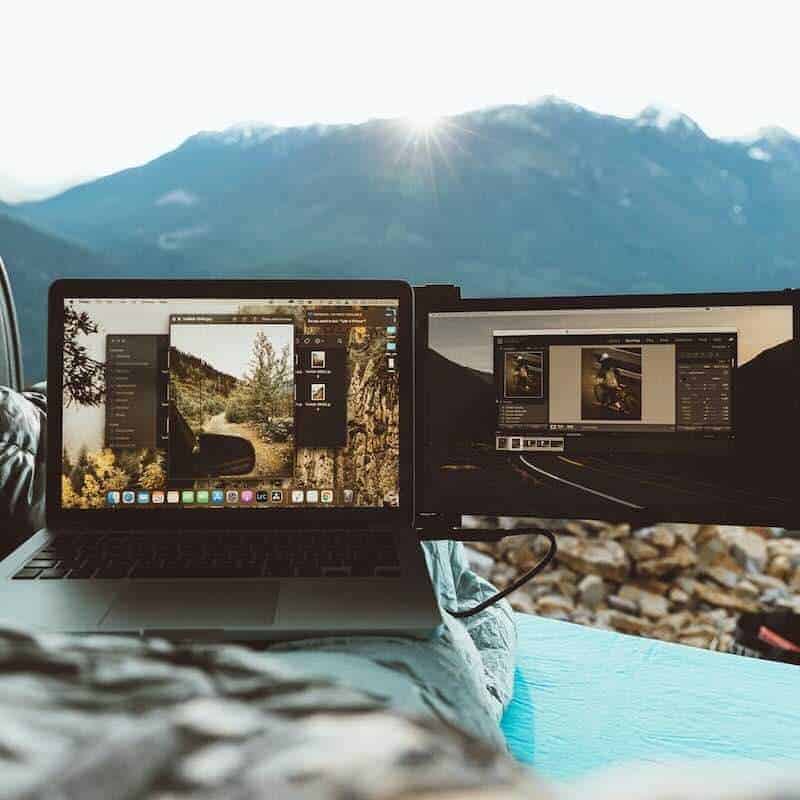
One of the major reasons portable monitors grab attention is due to their dual nature. Unlike traditional monitors with a solo screen, the latest monitors bring along an additional screen, increasing the workstation and offering you a golden opportunity to strengthen your multitasking skills. This factor has made them distinct from other old-school monitors. It has become necessary for digital nomads and remote workers who wish to work flawlessly regardless of location.
Does the concept intrigue you? You are welcome to visit Mobile Pixels and get a Duex Plus DS portable monitor for your laptop, as that will tick off all your remote working needs. With this, we will begin the blog by discussing the key benefits of portable monitors for remote workers and share a few interviews about how this technology has positively impacted their careers.
Key Benefits of Portable Monitors for Remote Workers
Let’s delve into the benefits of portable monitors for remote workers. They are as follows:
Extended Workspace
With portable monitors, you can enjoy an extended workspace. The extra screen motivates you to open and edit your complicated projects together. Yes, you can use one screen to view your drafts, spreadsheets, or other important documents and the other to make the necessary corrections or communicate with your clients about their feedback. The device assists you in multitasking and staying organized as well.
Improvement In Ergonomics
You often experience backaches, sore necks, and body pains after constantly using solo screens for work. Portable monitors have eliminated discomfort for good, as the technology promotes ergonomics. You can raise the monitor exactly at your eye level, which reduces such pains, and you can resume working for long durations without interruptions.
Productivity Increases
Create as many presentations as you want, edit those pending documents or that video, and communicate with your clients simultaneously. Portable monitors will startle you when it comes to productivity. You won’t need to waste time switching between multiple tabs, as everything is right before you. Work and review simultaneously without the tension of missing any deadline. Imagine the number of clients you can grab just because you are doing everything efficiently and quickly.
Interviews With Remote Workers
Portable monitors have created quite a buzz in remote working, so let us hear from them how this technology has affected their careers.
Digital Nomad: Robert Mathew
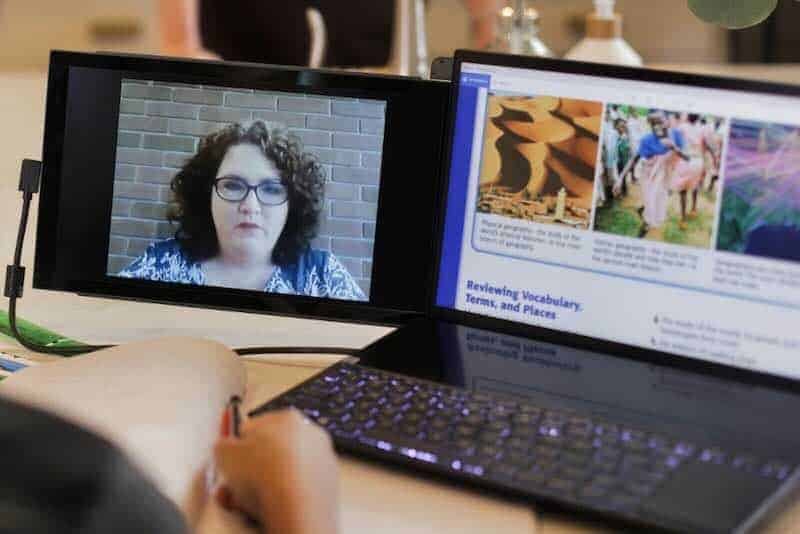
“My profession requires a lot of traveling, and my laptop used to make it problematic for me to make timely submissions. My friend suggested I purchase a portable monitor one fine day, but there was no turning back. The device revolutionized my work environment, enabling me to work from any location such as a coffee shop, hotel room, or co-working space. The monitor impressed me with its flexibility of setting up easily.”
Remote Software Developer: Judy Green
“I am a remote software developer, and you can imagine how we must remain glued to our screens throughout the day. Working on a single screen usually gave me a sore neck, as I had to lean in to view the code. After getting a portable monitor, I knew I could even elevate it to my viewing level, and my posture has improved. Besides that, my productivity has significantly increased, too. Thank you so much for launching portable monitors; they are indeed helping remote workers.”
Conclusion
Portable monitors are making remote work look like a piece of cake, and that is why more and more such workers are approaching vendors to get one for them, too. Hence, purchase one for yourself as well before it gets too late.

Duex Max DS
External Links:
- TechRadar – Best Portable Monitors 2025
(Comprehensive reviews and buying guide for portable monitors.) - Digital Nomad Soul – Essential Tech for Digital Nomads
(Recommended gear and tools for remote workers and nomads.) - The Verge – How Portable Monitors Boost Productivity
(Insights into productivity benefits of dual-screen setups.) - PCMag – Portable Monitors Buying Guide
(Expert advice on selecting the right portable monitor.) - Remote.co – Remote Work Tools and Tips
(Curated list of tools to enhance remote work efficiency.)